


Inside The Hive
In the hive are all the tools you and your team need for success.
Find tutorials and support documents and videos.

How to Legally Text Your Customers
Texting your customers and prospects is the most effective way to communicate with them. But before you begin there are a few things you need to consider in order to legally text with your customers. Don't Use Your Personal Number For starters, always use a...

Understanding Analytics
Getting more from Beetexting with Analytics Beetexting offers several metrics to help track the number of messages being sent, which tools or features are being used, or how many unique contacts are being made. What's the Buzz? Understanding the Analytics offered with...
Delete Conversations and Contacts from Beetexting
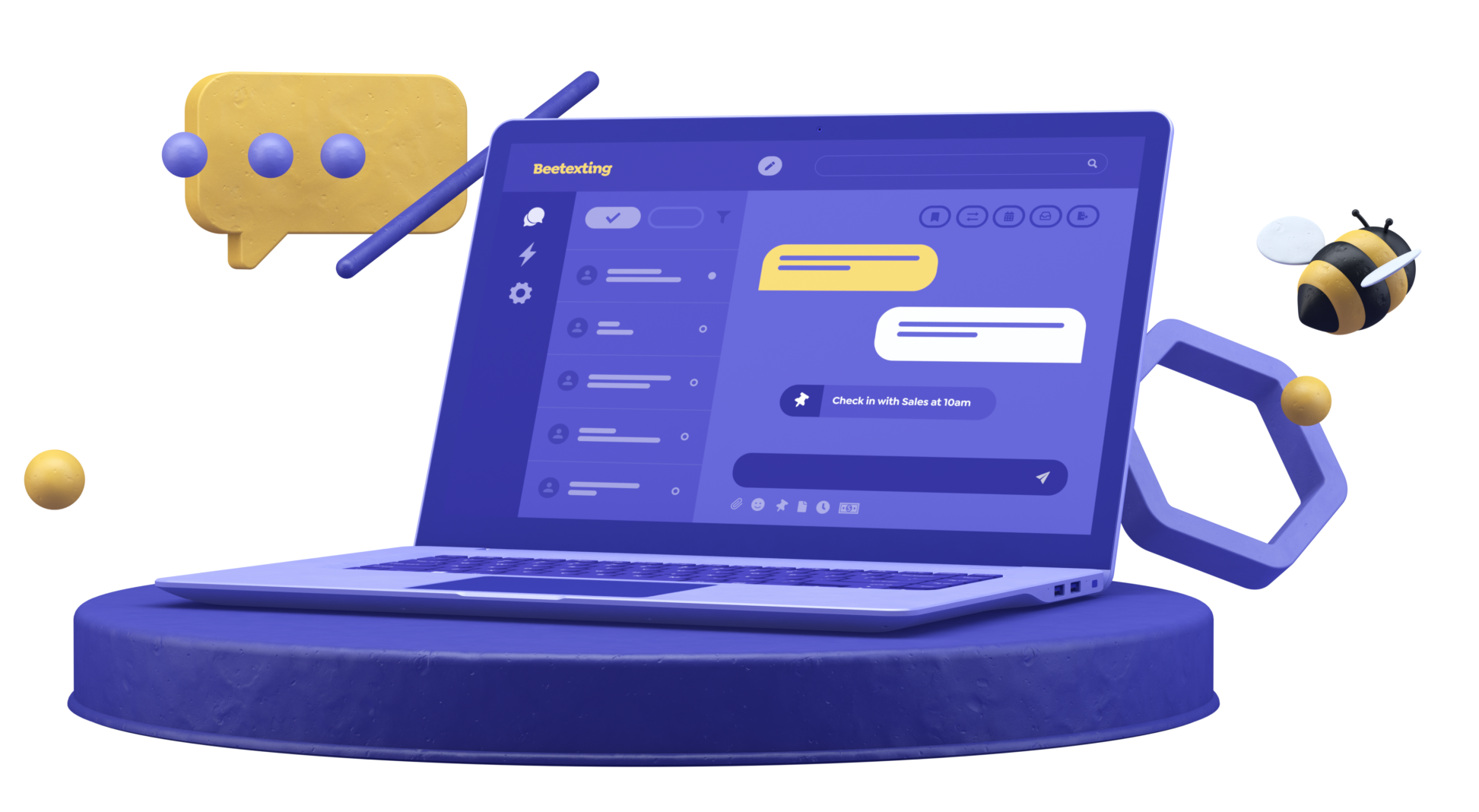
Can you delete conversations and contacts from Beetexting? The quick answer is no, but we have some solutions for you. By using our archive conversation and block contact features, you can control where conversations appear and choose which contacts can communicate...

How to Activate & Manage RingCentral Phone Numbers in Beetexting
Activating Phone Numbers To Activate more of your assigned RingCentral phone numbers, start by selecting 'Settings' on the left side of the screen Now Select 'Numbers' Your activated phone numbers will appear on the Numbers screen, to activate more select 'Activate...

Get your RingCental Account Ready – Setup Requirements
Overview Supercharge the SMS capabilities of your RingCentral phone numbers with Beetexting. We'll cover the basic requirements for setting up your account, activating or managing your RingCentral phone numbers within Beetexting, and managing the users that have...

How to Add & Manage Teammates as a RingCentral User
How to Add Teammates Start by selecting 'Settings' on the left side of the screen Then select 'Users' from the top Here you'll see a list of all the users that are currently within your Beetexting account To add a new user, select 'Add User' A list of available...
Advanced Calendly Automations
Calendly Workflow Automations The Calendly integration with Beetexting offers more in-depth workflow options within the Beetexting app. This integration bolsters your sales and marketing efforts by including the workflows inside the Beetexting app. You can keep all...

Advanced Automations
Automations can vary from simple to advanced. In the Get Ready for Inquiries section we discussed and set up three different types of automations: out-of-office automation, meeting automation, and sequence automation. Digging Deeper into Automation Let's dig deeper...

Request 5-Star Reviews via Text
Setup your review site to request 5-star reviews from your customers via text. Reviews are a tremendous help in growing your business. They are also difficult to collect! Send review requests to customers easily with the request review feature. How to Set up Your...
Request Payment via Text
Send invoices to customers over text. Beetexting has an integration with the highly popular and secure payment processor, Stripe. Set Up Your Seller Account to Recieve Payment via Text The first thing you need to do is create an account with Stripe if you don't have...
Send Your First Broadcast Message
Broadcast messages are mass messages sent through text to your opted-in customers and/or leads. Similar to email marketing, you create one message and send it to a large number of contacts who receive the message individually to their phone number. How to Create a...
Tag Contacts
Tags are short descriptive words or phrases added to contact profiles. Tags are how you organize your contacts and how you identify specific groups of contacts for sending messages to multiple contacts at one time. How to Tag Contacts: Two Ways Tag contacts from their...

Import Contacts
Before you begin importing contacts, please review the consent guidelines for texting in order to have a successful and thriving texting experience with your customers and leads. Texting Consent Guidelines How to Import Contacts Did you watch the consent video? Great,...

Post Your Number
Now it's time to tell the world about your newly text-enabled number. Brainstorm how to implement your text-enabled number(s) into your individual work info, account info, customer support info, and sales/marketing info. Ideas: Where to Post Your Number Email...

Set up Sequence Automation
Nurture your sales leads and customers with sequence automations. A sequence automation is a series of text messages sent automatically to contacts on a specific schedule you choose. Typically, a sequence is triggered by when a lead/customer texts you a specific...

Set up Meeting Automation
Create a meeting automation so that people can schedule a meeting with you quickly and easily! How to Create a Meeting Automation Let's create a simple meeting automation that is triggered by a keyword. You can share this keyword with anyone who wants to schedule a...
Set up Out of Office Automation
Create an out-of-office automation to let people know that you received their message and will reply during your business hours. How to Create Your Out of Office Automation Open the Beetexting app on your desktop computer. Select "Tools" located in the left column....

Create a Shared Template
Shared templates allow you to create pre-written responses, follow-up texts, and reminders for your team to use. How to Create a Shared Template Open the Beetexting app on your desktop computer (not on your mobile device). Select "Tools" in the left-hand column...
Text Enable Number(s)
Text enable numbers. How to Text Enable Numbers Go to "Settings" located in the left column. Go to "Numbers" located in the top row. Select "Add Number". Select "Text Enable Land Line". Enter the number name. Fill out the phone number "Letter of Authorization"....
Create Number(s)
Let's get started by creating your number(s). This easy tutorial should take about one minute to complete. How to Create Number(s) Open the Beetexting app on your desktop computer. Go to "Settings" located in the left column. Select "Numbers" from the top row. Select...
Schedule a Message to Yourself for Tomorrow
While you wait for your business verification to be complete, learn how to schedule a message and then practice by scheduling a message to yourself for tomorrow. How to Schedule a Message How to Schedule a Message If your business verification isn't completed, start...
Set up Your Business Contact Card
Sharing your contact information with new acquaintances, colleagues, and prospects has never been easier. Set up your virtual business card in the Beetexting app so you can share your contact info via text. Set up Your Contact Card (Virtual Business Card) How to Setup...

Invite Teammates
Now that you have completed a few setup tasks, invite your teammates to join you in the app! A new teammate in the Beetexting app is called a user. Add a New User Add a New User (Teammate) Users are members of your team using the Beetexting app. Adding new users is a...
Set up Notifications
Don't miss any messages! Turn on your mobile and desktop notifications so that you receive alerts when there is a new message. Receive Notifications on Your Apple Mobile Device From your home screen, tap "Settings" Select "Notifications" Select "Beetexting" Choose...
fancy Drew Wilkinson • 5 min read
How to Legally Text Your Customers
Texting your customers and prospects is the most effective way to communicate with them. But before you begin there are a few things you need to consider in order to legally text with your customers. Don't Use Your Personal Number For starters, always use a...
Understanding Analytics
Getting more from Beetexting with Analytics Beetexting offers several metrics to help track the number of messages being sent, which tools or features are being used, or how many unique contacts are being made. What's the Buzz? Understanding the Analytics offered with...
Delete Conversations and Contacts from Beetexting
Can you delete conversations and contacts from Beetexting? The quick answer is no, but we have some solutions for you. By using our archive conversation and block contact features, you can control where conversations appear and choose which contacts can communicate...
How to Activate & Manage RingCentral Phone Numbers in Beetexting
Activating Phone Numbers To Activate more of your assigned RingCentral phone numbers, start by selecting 'Settings' on the left side of the screen Now Select 'Numbers' Your activated phone numbers will appear on the Numbers screen, to activate more select 'Activate...
Get your RingCental Account Ready – Setup Requirements
Overview Supercharge the SMS capabilities of your RingCentral phone numbers with Beetexting. We'll cover the basic requirements for setting up your account, activating or managing your RingCentral phone numbers within Beetexting, and managing the users that have...
How to Add & Manage Teammates as a RingCentral User
How to Add Teammates Start by selecting 'Settings' on the left side of the screen Then select 'Users' from the top Here you'll see a list of all the users that are currently within your Beetexting account To add a new user, select 'Add User' A list of available...
Advanced Calendly Automations
Calendly Workflow Automations The Calendly integration with Beetexting offers more in-depth workflow options within the Beetexting app. This integration bolsters your sales and marketing efforts by including the workflows inside the Beetexting app. You can keep all...
Advanced Automations
Automations can vary from simple to advanced. In the Get Ready for Inquiries section we discussed and set up three different types of automations: out-of-office automation, meeting automation, and sequence automation. Digging Deeper into Automation Let's dig deeper...
Request 5-Star Reviews via Text
Setup your review site to request 5-star reviews from your customers via text. Reviews are a tremendous help in growing your business. They are also difficult to collect! Send review requests to customers easily with the request review feature. How to Set up Your...
Request Payment via Text
Send invoices to customers over text. Beetexting has an integration with the highly popular and secure payment processor, Stripe. Set Up Your Seller Account to Recieve Payment via Text The first thing you need to do is create an account with Stripe if you don't have...
Send Your First Broadcast Message
Broadcast messages are mass messages sent through text to your opted-in customers and/or leads. Similar to email marketing, you create one message and send it to a large number of contacts who receive the message individually to their phone number. How to Create a...
Tag Contacts
Tags are short descriptive words or phrases added to contact profiles. Tags are how you organize your contacts and how you identify specific groups of contacts for sending messages to multiple contacts at one time. How to Tag Contacts: Two Ways Tag contacts from their...
Import Contacts
Before you begin importing contacts, please review the consent guidelines for texting in order to have a successful and thriving texting experience with your customers and leads. Texting Consent Guidelines How to Import Contacts Did you watch the consent video? Great,...
Post Your Number
Now it's time to tell the world about your newly text-enabled number. Brainstorm how to implement your text-enabled number(s) into your individual work info, account info, customer support info, and sales/marketing info. Ideas: Where to Post Your Number Email...
Set up Sequence Automation
Nurture your sales leads and customers with sequence automations. A sequence automation is a series of text messages sent automatically to contacts on a specific schedule you choose. Typically, a sequence is triggered by when a lead/customer texts you a specific...
Set up Meeting Automation
Create a meeting automation so that people can schedule a meeting with you quickly and easily! How to Create a Meeting Automation Let's create a simple meeting automation that is triggered by a keyword. You can share this keyword with anyone who wants to schedule a...
Set up Out of Office Automation
Create an out-of-office automation to let people know that you received their message and will reply during your business hours. How to Create Your Out of Office Automation Open the Beetexting app on your desktop computer. Select "Tools" located in the left column....
Create a Shared Template
Shared templates allow you to create pre-written responses, follow-up texts, and reminders for your team to use. How to Create a Shared Template Open the Beetexting app on your desktop computer (not on your mobile device). Select "Tools" in the left-hand column...
Text Enable Number(s)
Text enable numbers. How to Text Enable Numbers Go to "Settings" located in the left column. Go to "Numbers" located in the top row. Select "Add Number". Select "Text Enable Land Line". Enter the number name. Fill out the phone number "Letter of Authorization"....
Create Number(s)
Let's get started by creating your number(s). This easy tutorial should take about one minute to complete. How to Create Number(s) Open the Beetexting app on your desktop computer. Go to "Settings" located in the left column. Select "Numbers" from the top row. Select...
Schedule a Message to Yourself for Tomorrow
While you wait for your business verification to be complete, learn how to schedule a message and then practice by scheduling a message to yourself for tomorrow. How to Schedule a Message How to Schedule a Message If your business verification isn't completed, start...
Set up Your Business Contact Card
Sharing your contact information with new acquaintances, colleagues, and prospects has never been easier. Set up your virtual business card in the Beetexting app so you can share your contact info via text. Set up Your Contact Card (Virtual Business Card) How to Setup...
Invite Teammates
Now that you have completed a few setup tasks, invite your teammates to join you in the app! A new teammate in the Beetexting app is called a user. Add a New User Add a New User (Teammate) Users are members of your team using the Beetexting app. Adding new users is a...
Set up Notifications
Don't miss any messages! Turn on your mobile and desktop notifications so that you receive alerts when there is a new message. Receive Notifications on Your Apple Mobile Device From your home screen, tap "Settings" Select "Notifications" Select "Beetexting" Choose...
No Results Found
The page you requested could not be found. Try refining your search, or use the navigation above to locate the post.
No Results Found
The page you requested could not be found. Try refining your search, or use the navigation above to locate the post.
No Results Found
The page you requested could not be found. Try refining your search, or use the navigation above to locate the post.
No Results Found
The page you requested could not be found. Try refining your search, or use the navigation above to locate the post.
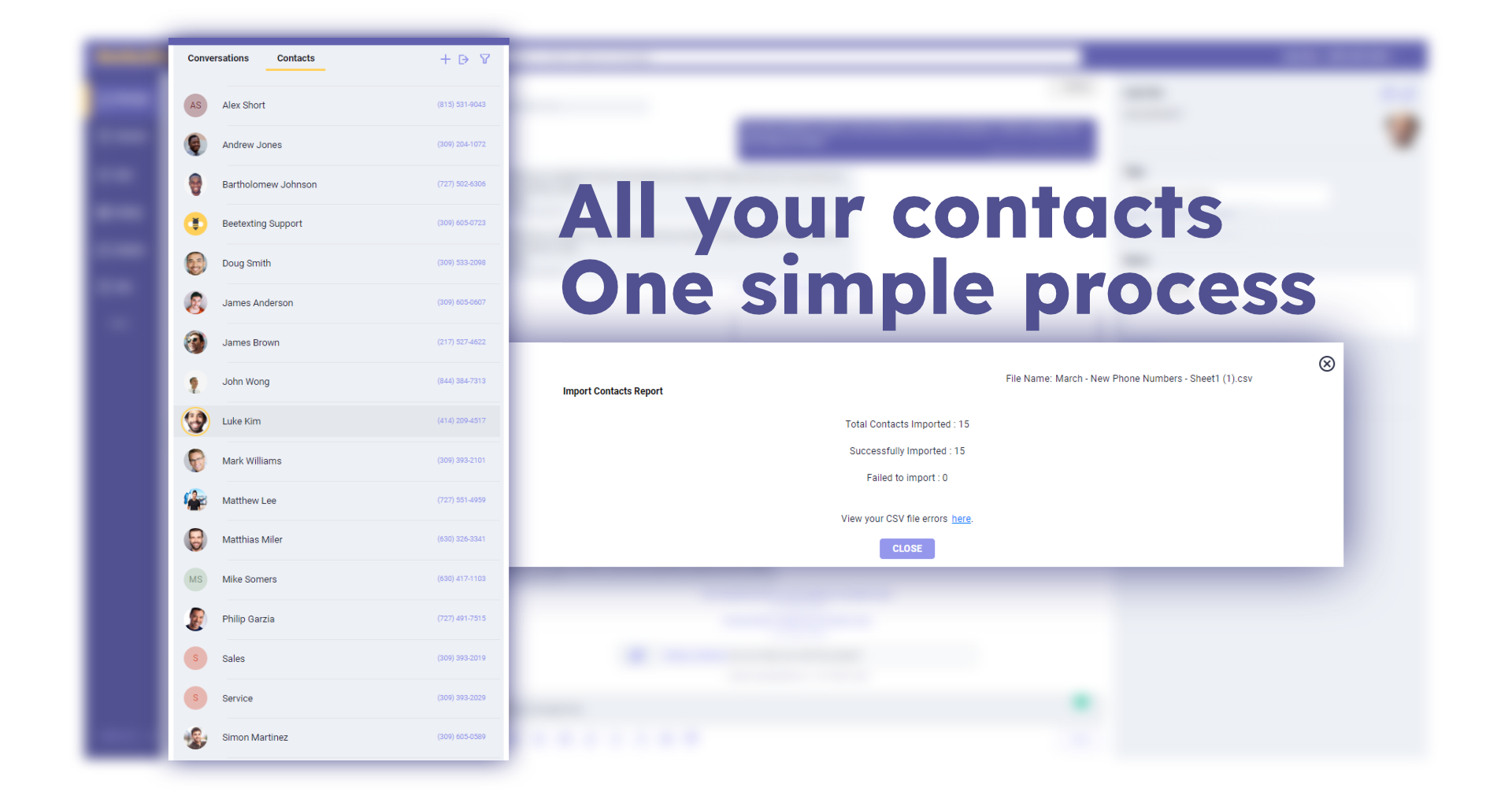
Importing and Updating Contacts
Contact Pull via Integration Manual Upload Bulk tag modification using contact import Start here Login to your Beetexting account Select "Contacts" next to "Conversations" Select the "import contacts" icon A popup screen will appear, now you will decide how you want...
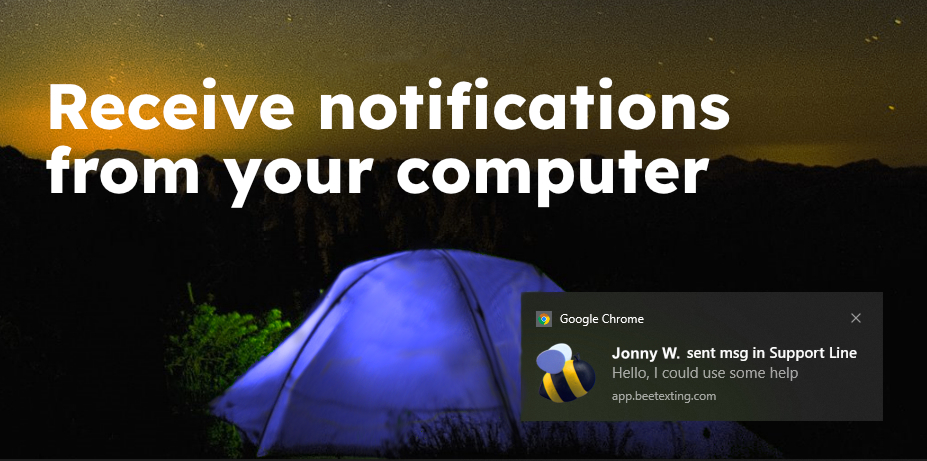
Turn on Desktop Notifications – Chrome
Allow Chrome notifications from system settings Go to "Notifications and Action Settings", type "notifications" in your system search and you will see it in the search results Scroll down to the section with the heading Get Notifications From These Senders In Get...
Texting Software for Business with Emotional Intelligence
Texting software for businesses enables teams to punch through the noise and deliver messages directly to customers' phones. With this power, we thought it was even more important that these messages be in the right...
Website Texting Replaces (or Complements) Website Chat
Website texting is the new way to provide a quick and easy option for your site visitors to chat with you. Chat widgets were nice when that was our only option, but now that we have business texting, chat has become...
SMS Marketing Platform for Scheduling Messages
An SMS marketing platform with the ability to schedule messages is a powerful tool for sales and service teams. Instead of creating a task or reminder for a specific day, you can schedule a text message to yourself or...
Landline Texting for Business
https://www.youtube.com/watch?v=cIhsYvZzF9k Landline texting for business is a great way to give customers the option to text you at the number they've always used to call you. You can text enable all your current phone numbers. You can put your primary line...
Texting Software for Business with Templates
Texting software for teams with the option to use personal or shared templates is a great way to keep your brand touchpoints on message. Templates are also a great way to save time when replying to common requests or...
Texting Software for Business
https://www.youtube.com/watch?v=56zZAQd-lZQ Texting software for business requires a better search function than what's on our personal device. Have you ever found yourself using the search function on your phone with less than desired results? If you're...
Business Text Messaging App
A business SMS software with shared inboxes allows teams to work together to serve customers and connect with prospects via text. Beetexting even allows for MMS (documents, images, and videos via text). With shared...
Request Payment by Text – Contactless Payment
https://www.youtube.com/watch?v=IFhmk1NSQjs How it Works Pay by text or requesting payment by text with a one-time secure and contactless payment link is a great way to make paying your company quick and easy for your customers! Customers will receive a text message...
Business Texting App for Teams
A business texting app for teams needs a way to help teammates communicate with each other without bothering the customer. On Beetexting, teammates can post internal notes right in the customer thread, but these won't...
Text Messaging Service for Teams
A text messaging service for teams needs to have a solution for helping coworkers coordinate their activities. Beetexting's smart inbox filters help your team stay organized and focused on what they are responsible...
SMS + MMS Texting App for Business
Texting apps for businesses open up so many possibilities for personal and timely texting with customers. On Beetexting, your sales or service teams can send documents like PDFs, word docs, spreadsheets, or really any...
Group Texting App for Business
https://www.youtube.com/watch?v=vMAjYPA4YXA Group texting for business is different from broadcast messaging. Group messaging includes multiple recipients in a group thread. This is a thread where everyone in the group sees everyone's responses. Broadcast...
Texting Platforms for Business and Robo Texts
Texting platforms for business teams need to be able to block unwanted messages. Unfortunately, there are some people out there who will use business texting apps to spam people. Now that your team had text-enabled...
SMS Marketing with Keyword Autoresponders
SMS marketing with keyword or keyphrase autoresponders is a great way to bring new customers into your company's marketing funnels. Trading a whitepaper for a prospect's email was a common way to do this. Today,...
No Results Found
The page you requested could not be found. Try refining your search, or use the navigation above to locate the post.
No Results Found
The page you requested could not be found. Try refining your search, or use the navigation above to locate the post.
No Results Found
The page you requested could not be found. Try refining your search, or use the navigation above to locate the post.
No Results Found
The page you requested could not be found. Try refining your search, or use the navigation above to locate the post.
No Results Found
The page you requested could not be found. Try refining your search, or use the navigation above to locate the post.
No Results Found
The page you requested could not be found. Try refining your search, or use the navigation above to locate the post.
No Results Found
The page you requested could not be found. Try refining your search, or use the navigation above to locate the post.