

The Latest Buzz
Your place to read our latest product Roadmap, free resources and
industry best practices for team business-class texting.
- All
- Blog
- Case Study
- Communication Bible Study
- Customer Success
- Customer Support
- Education
- Features
- Free Resources
- General
- How To
- Logistics
- Marketing
- News
- Recruitment
- Sales
- Shipping and Moving
- Uncategorized
- White Paper
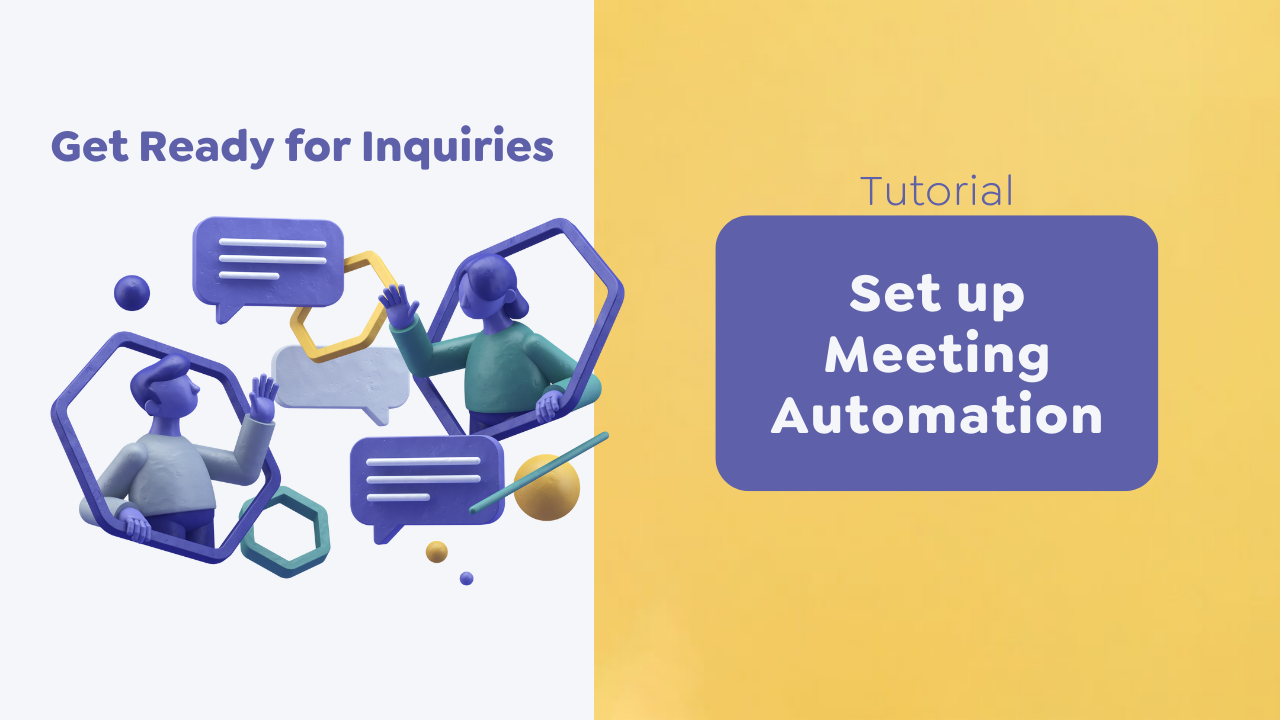
Set up Meeting Automation
Create a meeting automation so that people can schedule a meeting with you quickly and easily! How to Create a Meeting Automation Let's create a simple meeting automation that is triggered by a keyword. You can share this keyword with anyone who wants to schedule a...
Set up Out of Office Automation
Create an out-of-office automation to let people know that you received their message and will reply during your business hours. How to Create Your Out of Office Automation Open the Beetexting app on your desktop computer. Select "Tools" located in the left column....

Create a Shared Template
Shared templates allow you to create pre-written responses, follow-up texts, and reminders for your team to use. How to Create a Shared Template Open the Beetexting app on your desktop computer (not on your mobile device). Select "Tools" in the left-hand column...
Text Enable Number(s)
Text enable numbers. How to Text Enable Numbers Go to "Settings" located in the left column. Go to "Numbers" located in the top row. Select "Add Number". Select "Text Enable Land Line". Enter the number name. Fill out the phone number "Letter of Authorization"....
Create Number(s)
Let's get started by creating your number(s). This easy tutorial should take about one minute to complete. How to Create Number(s) Open the Beetexting app on your desktop computer. Go to "Settings" located in the left column. Select "Numbers" from the top row. Select...
Schedule a Message to Yourself for Tomorrow
While you wait for your business verification to be complete, learn how to schedule a message and then practice by scheduling a message to yourself for tomorrow. How to Schedule a Message How to Schedule a Message If your business verification isn't completed, start...
Set up Your Business Contact Card
Sharing your contact information with new acquaintances, colleagues, and prospects has never been easier. Set up your virtual business card in the Beetexting app so you can share your contact info via text. Set up Your Contact Card (Virtual Business Card) How to Setup...

Invite Teammates
Now that you have completed a few setup tasks, invite your teammates to join you in the app! A new teammate in the Beetexting app is called a user. Add a New User Add a New User (Teammate) Users are members of your team using the Beetexting app. Adding new users is a...
Set up Notifications
Don't miss any messages! Turn on your mobile and desktop notifications so that you receive alerts when there is a new message. Receive Notifications on Your Apple Mobile Device From your home screen, tap "Settings" Select "Notifications" Select "Beetexting" Choose...

Download the App
Download the Beetexting app on your desktop computer and your mobile device for easy communication wherever you are! Download the App on Your Mobile Device Navigate to the app store on your mobile device and search for "Beetexting". Download the Beetexting app on your...
Teamwork Training Videos
Learn how to use Beetexting's team features to work effectively with your team. These videos explain how to use Beetexting with your team and the main features you can utilize to communicate with your team. This tutorial is approximately nine minutes to complete. Team...
Text Your Beetexting Number
Take your Beetexting number out for a spin by texting your Beetexting number from your personal number and then sending a reply text. This tutorial is approximately one minute to complete. Text Your Beetexting Number To begin, simply send a message from your personal...
How to Set Up Business Texting – Beetexting Playbooks
What are Beetexting Playbooks? Beetexting wants to help you get the most from your business texting experience; whether you're just starting with Business Texting or ready to start texting your customers, Beetexting's Playbooks are a great resource to learn about our...

Brand Engagement Setup
Brand Engagement Build strong relationships with your customers and community. Communicate updates and exciting things happening at your company or organization. Allow others to feel as though they are a part of your greater purpose. Outline Gather Opt-ins Send Your...

Administrative Support Setup
Administrative Support Provide office managers and other administrative staff tools to communicate effectively with customers and stay organized. Outline Tags Notes Schedule Messages Create Template Messages Request Reviews Pay by Text Tags Overview For short-term...

Outbound Sales Setup
Outbound Sales Get better results from your outside sales efforts by adding SMS text messaging to your toolbelt. Sales professionals love having a business number that allows texting. They can cultivate relationships, manage new sales, share information with other...

Inbound Sales Setup
Inbound Sales Channel your inbound sales leads through Beetexting to provide space to provide a more personal touch allowing leads to feel taken care of and appreciated. Beetexting inbound sales tools keep your leads' information and your sales team organized. Easily...

Account Management Setup
Account Management Manage your clients and leads with ease. Beetexting provides many features to organize and communicate with your accounts as well as stay organized with your team. Outline Tags Notes Schedule Messages Broadcast Messages Templates Request Reviews Pay...

Customer Support Setup
Customer Support Provide customers with an easy support solution with SMS texting for customer support. From their phones, they text their questions and get a response without waiting on a website chat or on the phone. Beetexting has a powerhouse of features to...

Promotional Messaging Setup
Promotional Messaging SMS promotional messaging is a great way to spread the word about your business and gain new leads. Here are some ideas for a few industries on ways to use promotional messaging. Ultimately, all industries should use promotional messaging to gain...

Calendly Integration
We're excited to announce our integration with Calendly Our mission is helping sales and service teams develop deeper relationships with their customers through personal, conversational texting. The Calendly integration allows you more ways to interact with people who...

Getting Started with Brand Engagement
Brand engagement Keyword automations and broadcast messages are great ways to successfully interact with your audience to grow brand engagement, community interaction, special programs and events, etc. Keyword Opt-ins 1. Create Opt-In Keywords A keyword opt-in is...

Getting Started with Customer Care
Send helpful communication to your customers For this tutorial, we'll use your personal number as the "customer" you're reaching out to. (While you cannot initiate a text conversation from your Beetexting number until your business verification is complete you can...

Getting Started with Outbound Sales
Communicate with your leads and reach out to new leads. This tutorial explains how to organize your contacts with tags and how to send a broadcast (mass) message to your leads. Lead Communication and Outreach 1. Adding a Tag to Your Lead's Contact Profile For this...
fancy Drew Wilkinson • 5 min read
Set up Meeting Automation
Create a meeting automation so that people can schedule a meeting with you quickly and easily! How to Create a Meeting Automation Let's create a simple meeting automation that is triggered by a keyword. You can share this keyword with anyone who wants to schedule a...
Set up Out of Office Automation
Create an out-of-office automation to let people know that you received their message and will reply during your business hours. How to Create Your Out of Office Automation Open the Beetexting app on your desktop computer. Select "Tools" located in the left column....
Create a Shared Template
Shared templates allow you to create pre-written responses, follow-up texts, and reminders for your team to use. How to Create a Shared Template Open the Beetexting app on your desktop computer (not on your mobile device). Select "Tools" in the left-hand column...
Text Enable Number(s)
Text enable numbers. How to Text Enable Numbers Go to "Settings" located in the left column. Go to "Numbers" located in the top row. Select "Add Number". Select "Text Enable Land Line". Enter the number name. Fill out the phone number "Letter of Authorization"....
Create Number(s)
Let's get started by creating your number(s). This easy tutorial should take about one minute to complete. How to Create Number(s) Open the Beetexting app on your desktop computer. Go to "Settings" located in the left column. Select "Numbers" from the top row. Select...
Schedule a Message to Yourself for Tomorrow
While you wait for your business verification to be complete, learn how to schedule a message and then practice by scheduling a message to yourself for tomorrow. How to Schedule a Message How to Schedule a Message If your business verification isn't completed, start...
Set up Your Business Contact Card
Sharing your contact information with new acquaintances, colleagues, and prospects has never been easier. Set up your virtual business card in the Beetexting app so you can share your contact info via text. Set up Your Contact Card (Virtual Business Card) How to Setup...
Invite Teammates
Now that you have completed a few setup tasks, invite your teammates to join you in the app! A new teammate in the Beetexting app is called a user. Add a New User Add a New User (Teammate) Users are members of your team using the Beetexting app. Adding new users is a...
Set up Notifications
Don't miss any messages! Turn on your mobile and desktop notifications so that you receive alerts when there is a new message. Receive Notifications on Your Apple Mobile Device From your home screen, tap "Settings" Select "Notifications" Select "Beetexting" Choose...
Download the App
Download the Beetexting app on your desktop computer and your mobile device for easy communication wherever you are! Download the App on Your Mobile Device Navigate to the app store on your mobile device and search for "Beetexting". Download the Beetexting app on your...
Teamwork Training Videos
Learn how to use Beetexting's team features to work effectively with your team. These videos explain how to use Beetexting with your team and the main features you can utilize to communicate with your team. This tutorial is approximately nine minutes to complete. Team...
Text Your Beetexting Number
Take your Beetexting number out for a spin by texting your Beetexting number from your personal number and then sending a reply text. This tutorial is approximately one minute to complete. Text Your Beetexting Number To begin, simply send a message from your personal...
How to Set Up Business Texting – Beetexting Playbooks
What are Beetexting Playbooks? Beetexting wants to help you get the most from your business texting experience; whether you're just starting with Business Texting or ready to start texting your customers, Beetexting's Playbooks are a great resource to learn about our...
Brand Engagement Setup
Brand Engagement Build strong relationships with your customers and community. Communicate updates and exciting things happening at your company or organization. Allow others to feel as though they are a part of your greater purpose. Outline Gather Opt-ins Send Your...
Administrative Support Setup
Administrative Support Provide office managers and other administrative staff tools to communicate effectively with customers and stay organized. Outline Tags Notes Schedule Messages Create Template Messages Request Reviews Pay by Text Tags Overview For short-term...
Outbound Sales Setup
Outbound Sales Get better results from your outside sales efforts by adding SMS text messaging to your toolbelt. Sales professionals love having a business number that allows texting. They can cultivate relationships, manage new sales, share information with other...
Inbound Sales Setup
Inbound Sales Channel your inbound sales leads through Beetexting to provide space to provide a more personal touch allowing leads to feel taken care of and appreciated. Beetexting inbound sales tools keep your leads' information and your sales team organized. Easily...
Account Management Setup
Account Management Manage your clients and leads with ease. Beetexting provides many features to organize and communicate with your accounts as well as stay organized with your team. Outline Tags Notes Schedule Messages Broadcast Messages Templates Request Reviews Pay...
Customer Support Setup
Customer Support Provide customers with an easy support solution with SMS texting for customer support. From their phones, they text their questions and get a response without waiting on a website chat or on the phone. Beetexting has a powerhouse of features to...
Promotional Messaging Setup
Promotional Messaging SMS promotional messaging is a great way to spread the word about your business and gain new leads. Here are some ideas for a few industries on ways to use promotional messaging. Ultimately, all industries should use promotional messaging to gain...
Calendly Integration
We're excited to announce our integration with Calendly Our mission is helping sales and service teams develop deeper relationships with their customers through personal, conversational texting. The Calendly integration allows you more ways to interact with people who...
Getting Started with Brand Engagement
Brand engagement Keyword automations and broadcast messages are great ways to successfully interact with your audience to grow brand engagement, community interaction, special programs and events, etc. Keyword Opt-ins 1. Create Opt-In Keywords A keyword opt-in is...
Getting Started with Customer Care
Send helpful communication to your customers For this tutorial, we'll use your personal number as the "customer" you're reaching out to. (While you cannot initiate a text conversation from your Beetexting number until your business verification is complete you can...
Getting Started with Outbound Sales
Communicate with your leads and reach out to new leads. This tutorial explains how to organize your contacts with tags and how to send a broadcast (mass) message to your leads. Lead Communication and Outreach 1. Adding a Tag to Your Lead's Contact Profile For this...
No Results Found
The page you requested could not be found. Try refining your search, or use the navigation above to locate the post.
No Results Found
The page you requested could not be found. Try refining your search, or use the navigation above to locate the post.
No Results Found
The page you requested could not be found. Try refining your search, or use the navigation above to locate the post.
No Results Found
The page you requested could not be found. Try refining your search, or use the navigation above to locate the post.
No Results Found
The page you requested could not be found. Try refining your search, or use the navigation above to locate the post.
No Results Found
The page you requested could not be found. Try refining your search, or use the navigation above to locate the post.
No Results Found
The page you requested could not be found. Try refining your search, or use the navigation above to locate the post.
No Results Found
The page you requested could not be found. Try refining your search, or use the navigation above to locate the post.
No Results Found
The page you requested could not be found. Try refining your search, or use the navigation above to locate the post.
No Results Found
The page you requested could not be found. Try refining your search, or use the navigation above to locate the post.
No Results Found
The page you requested could not be found. Try refining your search, or use the navigation above to locate the post.
No Results Found
The page you requested could not be found. Try refining your search, or use the navigation above to locate the post.
No Results Found
The page you requested could not be found. Try refining your search, or use the navigation above to locate the post.
No Results Found
The page you requested could not be found. Try refining your search, or use the navigation above to locate the post.
No Results Found
The page you requested could not be found. Try refining your search, or use the navigation above to locate the post.
No Results Found
The page you requested could not be found. Try refining your search, or use the navigation above to locate the post.
No Results Found
The page you requested could not be found. Try refining your search, or use the navigation above to locate the post.
No Results Found
The page you requested could not be found. Try refining your search, or use the navigation above to locate the post.
No Results Found
The page you requested could not be found. Try refining your search, or use the navigation above to locate the post.
No Results Found
The page you requested could not be found. Try refining your search, or use the navigation above to locate the post.
No Results Found
The page you requested could not be found. Try refining your search, or use the navigation above to locate the post.
No Results Found
The page you requested could not be found. Try refining your search, or use the navigation above to locate the post.
No Results Found
The page you requested could not be found. Try refining your search, or use the navigation above to locate the post.
No Results Found
The page you requested could not be found. Try refining your search, or use the navigation above to locate the post.
No Results Found
The page you requested could not be found. Try refining your search, or use the navigation above to locate the post.
No Results Found
The page you requested could not be found. Try refining your search, or use the navigation above to locate the post.
No Results Found
The page you requested could not be found. Try refining your search, or use the navigation above to locate the post.
No Results Found
The page you requested could not be found. Try refining your search, or use the navigation above to locate the post.
No Results Found
The page you requested could not be found. Try refining your search, or use the navigation above to locate the post.
No Results Found
The page you requested could not be found. Try refining your search, or use the navigation above to locate the post.
No Results Found
The page you requested could not be found. Try refining your search, or use the navigation above to locate the post.
No Results Found
The page you requested could not be found. Try refining your search, or use the navigation above to locate the post.
No Results Found
The page you requested could not be found. Try refining your search, or use the navigation above to locate the post.
No Results Found
The page you requested could not be found. Try refining your search, or use the navigation above to locate the post.
No Results Found
The page you requested could not be found. Try refining your search, or use the navigation above to locate the post.
No Results Found
The page you requested could not be found. Try refining your search, or use the navigation above to locate the post.