
Sequence Tags are an enhancement to the automation system that gives users visibility and control over delayed, automation-triggered messages. When a Sequence tag is applied to a contact, that is referenced in an automation condition, the system may schedule one or more delayed message actions. Sequences display these pending actions directly in the conversation UI as upcoming messages, so users can understand what will be sent, when, and why—before it happens.
What Appears in Sequences
-
- The Sequence Tag List includes only tags referenced in automation conditions (not automation actions).
-
- Tags are filtered so the list contains only automation-relevant tags, avoiding clutter from general tagging.
Scheduling and UI behavior
When a Sequence tag is added to a contact
-
- Immediate message actions execute normally (no change to current behavior).
-
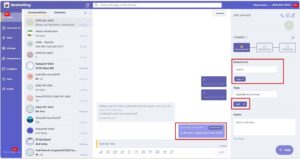
- Delayed message actions are scheduled and shown as upcoming messages in the conversation UI (message compressor).
The Sequence Tag List is dynamically generated and always reflects the latest active automations and available tags, ensuring users can search and see up-to-date triggers.
Completion and cancellation rules
-
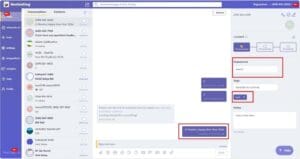
- After all scheduled messages for a given tag are sent, the tag is automatically removed from the Sequences list.
-
- The tag remains in the main Tags list (within settings) until the user removes it manually.
-
- If a user removes a tag from Sequences, the system cancels all pending scheduled messages tied to that tag, but does not remove the tag from the main Tags list.
How to use it (recommended workflow)
-
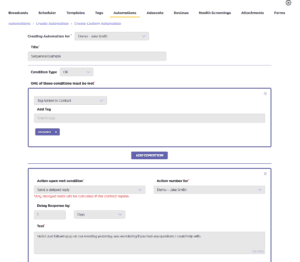
- Build your automation trigger (Tag Added):
-
- If Condition = AND → only one “Tag added to contact” condition is allowed; that tag triggers the sequence.
-
- If Condition = OR → you can add multiple “Tag added to contact” conditions; any matching tag triggers the sequence.
Use Sequences to monitor what’s queued:
-
- The system automatically lists only automation-condition tags in the Sequences tag search (dynamic, always up to date).
-
- Add one of these tags to a contact → delayed message actions get scheduled and appear as Upcoming Messages in the conversation UI (message compressor).
-
- Immediate messages send as usual; only delayed message actions are shown in Sequences (notes/tag changes not included in this phase).
After you send messages
-
- Once all scheduled messages for that tag are sent, the tag is removed from Sequences automatically (it stays in the main Tags list until you remove it).
-
- Removing a tag from Sequences cancels all pending scheduled messages for that tag (does not remove the tag from the main Tags list).